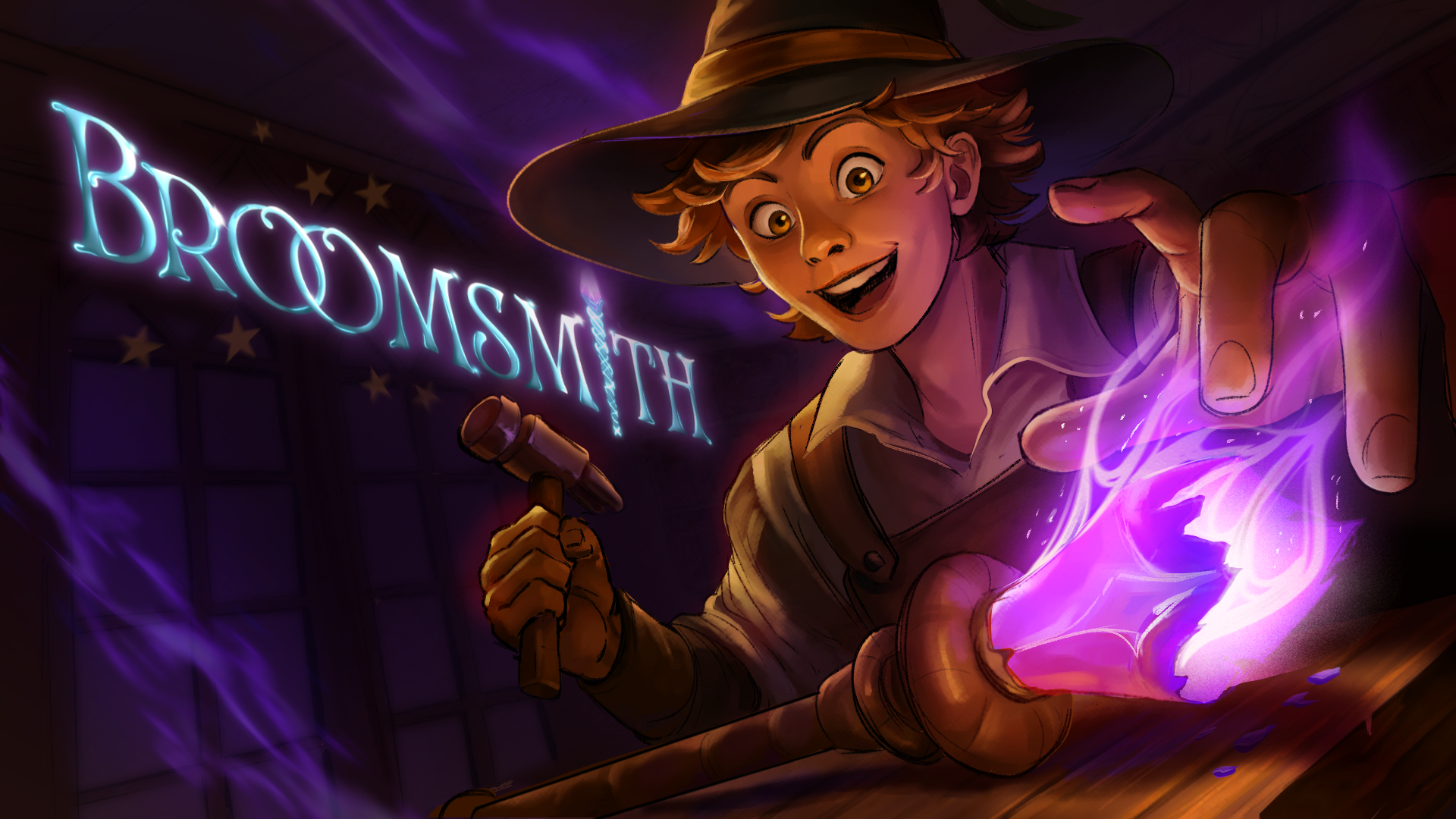
Broomsmith is a VR spellcasting and item repair experience set in a magical workshop. Players harness the powers of magical creatures to clean, paint, and restore a variety of magical items to boost their WELP ratings.
The Problem
Broomsmith’s customer rating system is reliant on the player’s cleaning and painting progress. Because of this, players should have access to a consistently-updating UI that displays their progress accurately. The only way to do this is by reading the texture data of render targets and returning the percentage of black versus white pixels within that render target. Unreal has a Blueprint Node specifically for reading texture data, however utilizing it causes frame hitches in VR. We needed an alternate solution that could efficiently read texture data while not being disruptive to the player experience by lagging the game.
What I Did
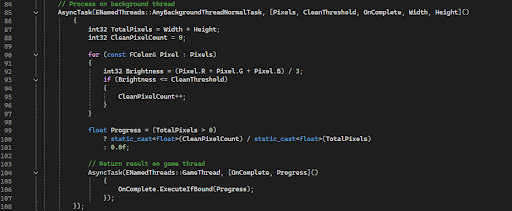
I wrote a C++ Blueprint Function Library (a system within Unreal) that reads pixel data from any given render target, then hands the pixel brightness analysis (the heavy counting work) to a background thread. The result is sent back to the game thread via a delegate, which keeps it Blueprint-callable and thread-safe.
🔗 View on GitHubThe Result
The frame freezing was eliminated entirely. The system returns a normalized float (0-1) which represents a clean pixel ratio, thresholded by brightness, and is used to help players track both their painting and cleaning progress without touching the frame budget!
Creating Joystick Walking & Footstep Audio
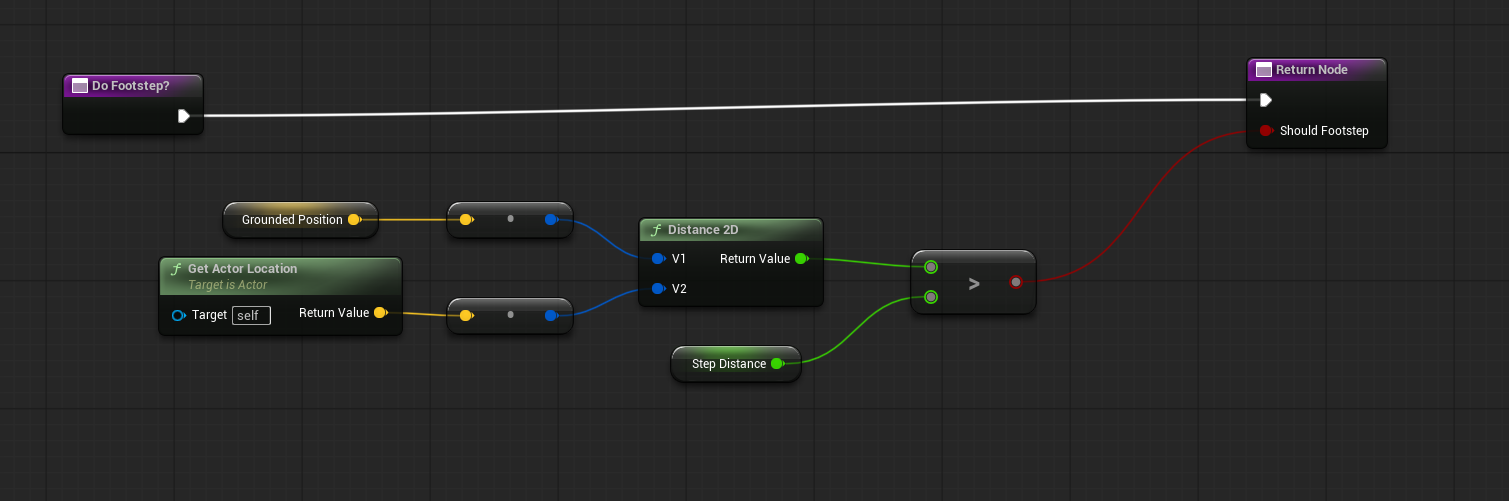
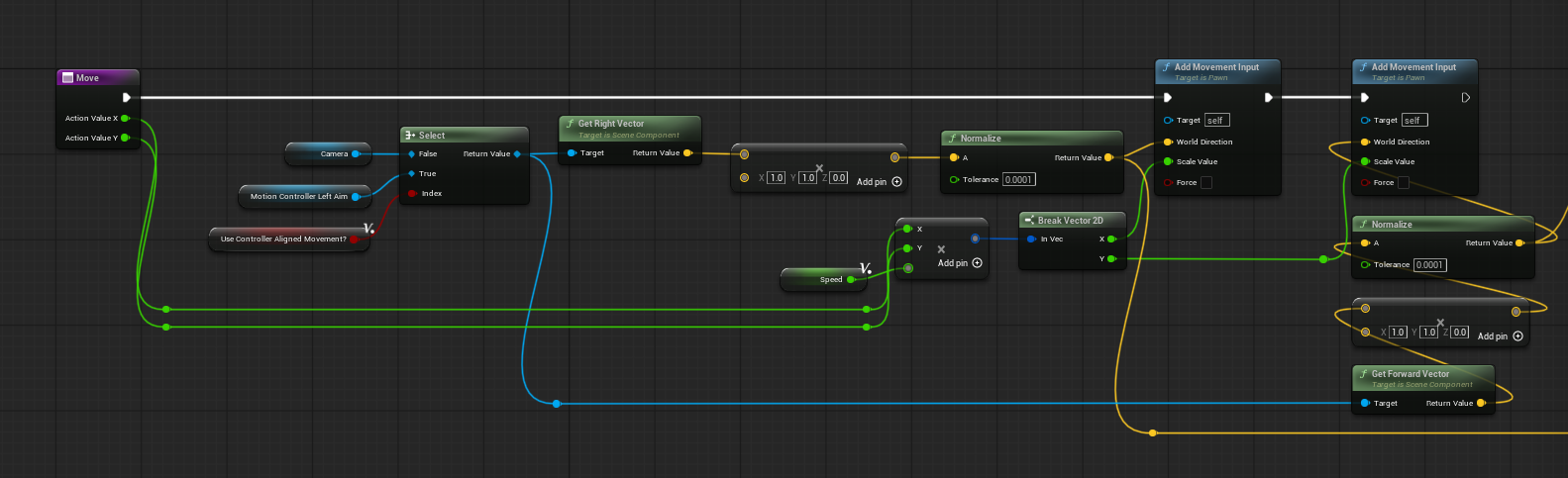
Though I utilized the Unreal VR Template pawn in Broomsmith, the pawn was missing some key features. The pawn only had teleportation instead of joystick movement. I implemented character movement and a paired footstep function that would calculate 2D Distance and play back a footstep if the distance was greater than a set threshold.
Overwriting The Original
Physics Grabbing was a much larger and more complicated system, because I ended up entirely overwriting the existing grab component. The custom grab component has additional custom dispatchers, events, and grab types that could be easily accessed and changed for any item it was attached to. It features addons such as a floating niagara system and animation on drop, lighting up and changing colors on distance-hovering/activating, and more.
Below is an embed of the full Distance Grabbing function including distance-grab lasers. Unreal does not have a distance grab function, so myself and a helper replicated the Unity distance-grabbing feature.
Having a custom grab component also meant more customization for grab types. Maybe some items could or couldn’t be grabbed at a distance, maybe some could only rotate because they were constrained. Maybe some could float on drop and some couldn’t!
How It Works In Editor
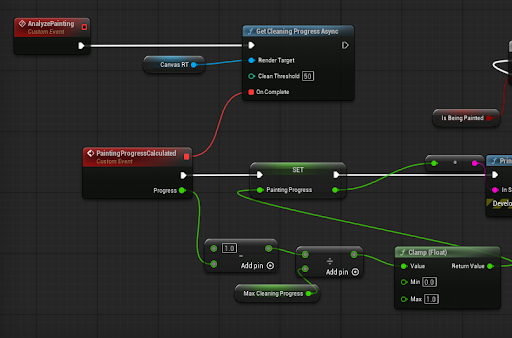
Cleaning and painting detection is very accurate, and this is because the cube traces from the sponge snails and painting tools draw onto a mesh’s render target utilizing UV Collision. This process is smooth and quick, and the size of a tool’s radius can be easily swapped out.
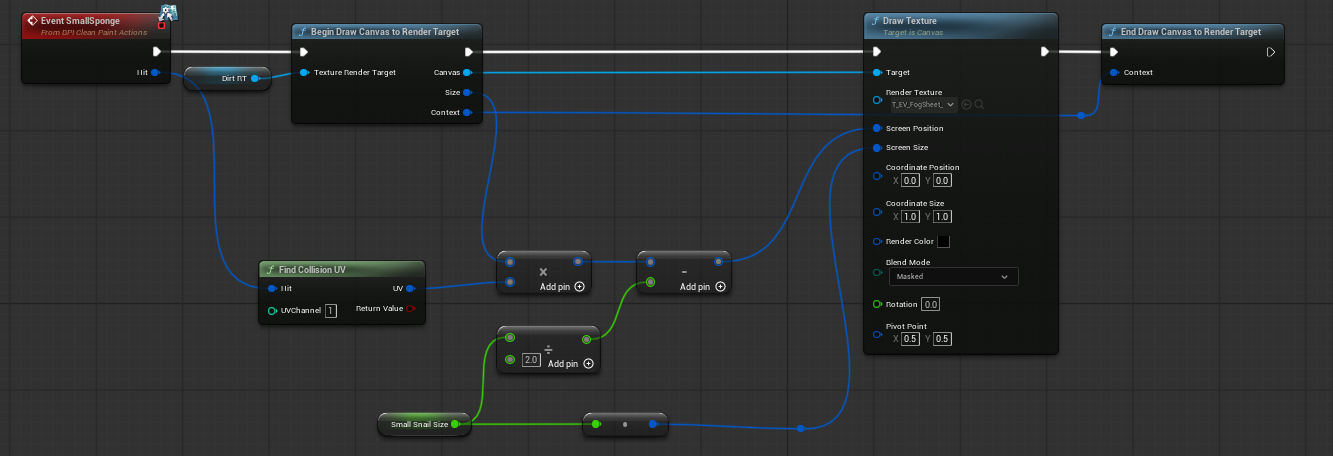
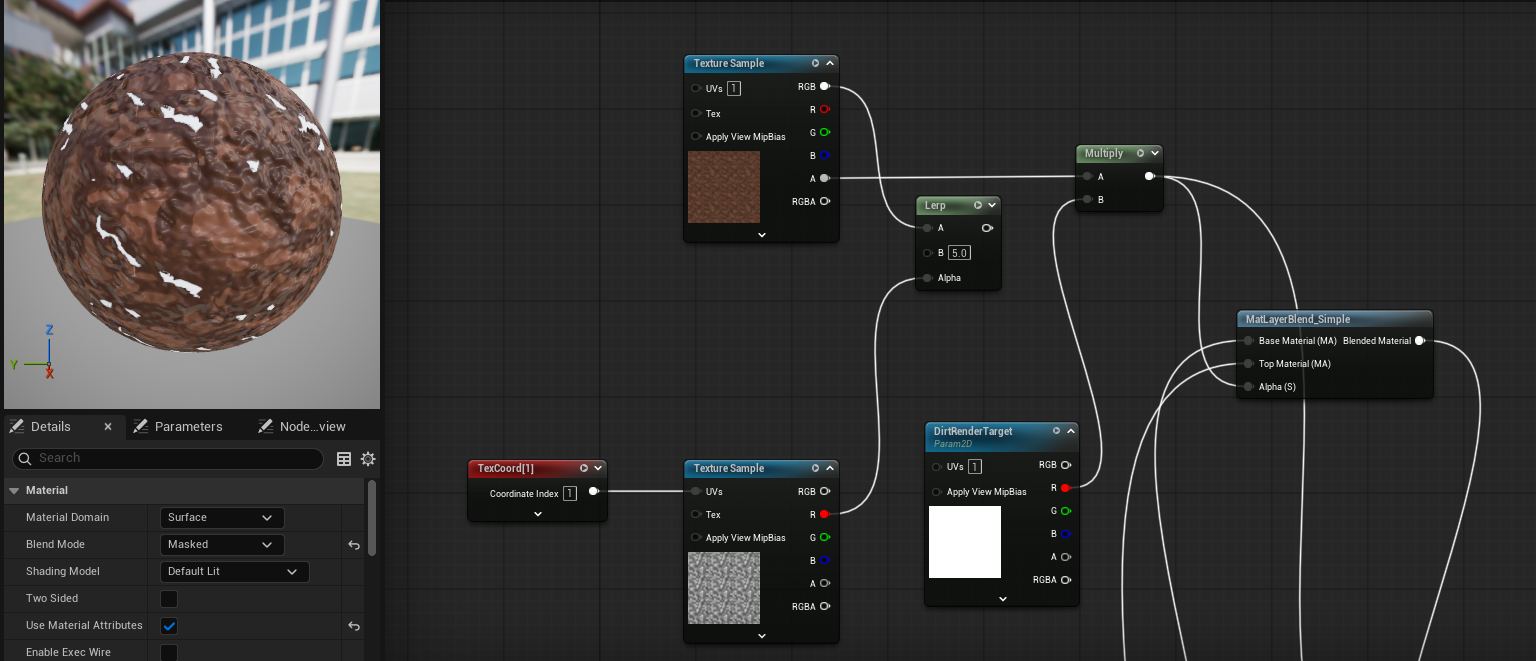
The render targets are set on BP Construct and link to each Repairable Item’s (The item a player is tasked with repairing by customers) dynamic instance material.
Material Setup
Radio
Creating an immersive environment requires, in my experience, three things: consistently styled visuals, smooth interactions, and responsive, controllable audio.
Having played VR workshop simulators with in-game radios that let players change the background music, I wanted to bring that same sense of environmental ownership to Broomsmith. A physical radio lets players cycle through a lineup of songs— not by opening a menu, but by pressing actual buttons. Each button is a separate mesh with a physics constraint limiting its travel; when it reaches its limit, it overlaps a collision box that triggers an event dispatcher, advancing the track. It's a small thing, but giving players a perceivable grip on their own space goes a long way.
Each text message would also communicate the length of its string to the listening text message blueprint which, based on a customizable string-per-second threshold, would play the “...” animation for a certain amount of time before posting a message. It felt more real this way!
Curse Removal
The curse removal station carries that audio-first philosophy further, this time as the mechanic's centerpiece. Every curse spawned into the world is assigned a target pitch: a float between 0 and 1, multiplied by 12 (one value per musical note in an octave, which is 12) to make pitch shifts perceptible to the human ear. That value is applied to a MetaSound asset, which plays a spatially attenuated tone — meaning the sound has a sense of physical presence in the space!
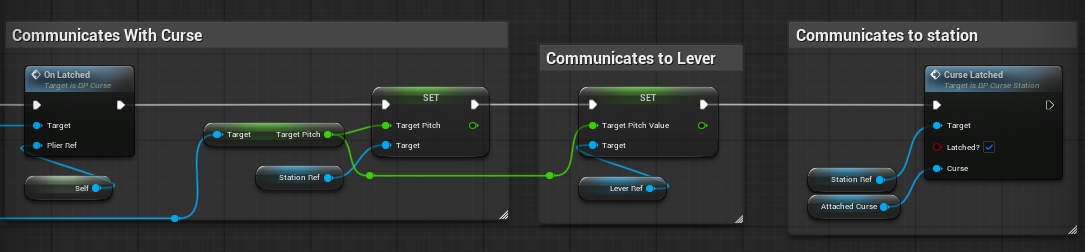
The interaction begins when the player hooks the station's pliers onto a curse. At that moment, the pliers communicate the target pitch float to both the Curse Station (the blue egg) and the Curse Lever. Tapping the Curse Station with the wand activates it, emitting the target tone as a looping reference sound. When the pliers are unhooked, the target pitch is cleared from both recipients — resetting the system cleanly for the next curse.
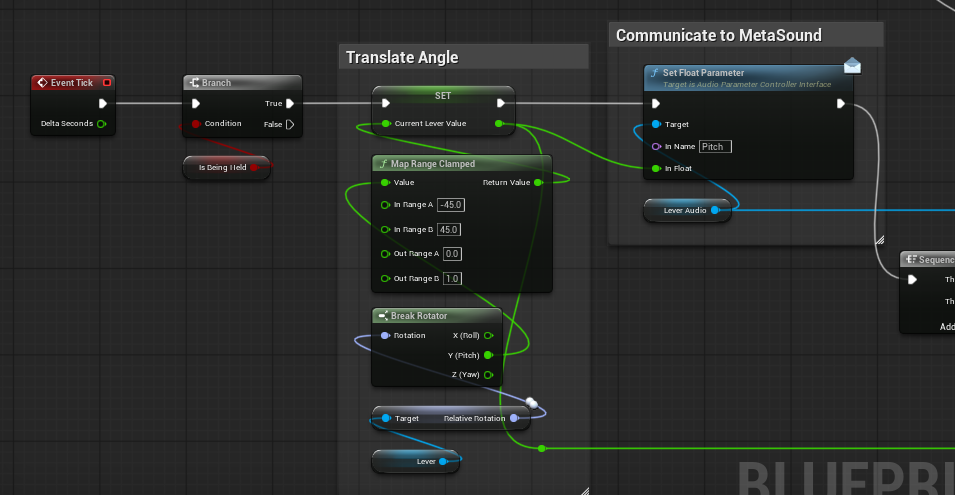
The Curse Lever, a physics-constrained interactable, sits nearby! Its angle is calculated every tick and translated into a matching 0–1 float, then multiplied by 12 like the target pitch to match it. That float drives a parameter inside a MetaSound asset, meaning the lever's physical position directly controls the frequency of the sound it produces.
When the player's lever tone matches the Hub's tone and holds there long enough, a symbol is revealed for gesture drawing with their wand. The system is unique because it engages a sense the rest of the workshop doesn't. Every other mechanic is visual or tactile. This one asks you to listen because immersion means accounting for the whole person.
Below is a video of the full system in action, from hooking the pliers to successfully removing a curse!
Designer Friendly Texting System
I created a blueprint system that simulated and facilitated choice-based text messaging between itself and the user- and for ease of designer use I made the dialogue completely editable from a data table, as seen in the example below.
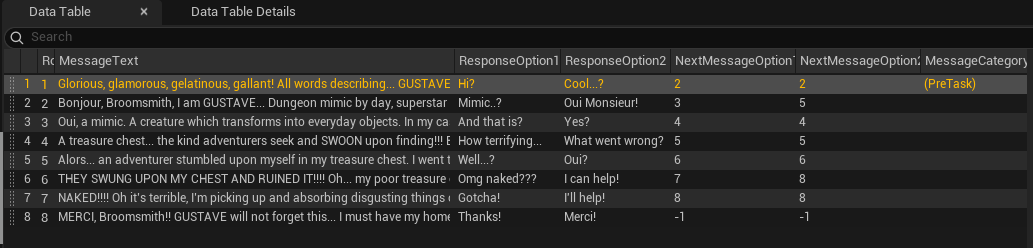
Each text message would also communicate the length of its string to the listening text message blueprint which, based on a customizable string-per-second threshold, would play the “...” animation for a certain amount of time before posting a message. It felt more real this way!
Designer Friendly Profiles
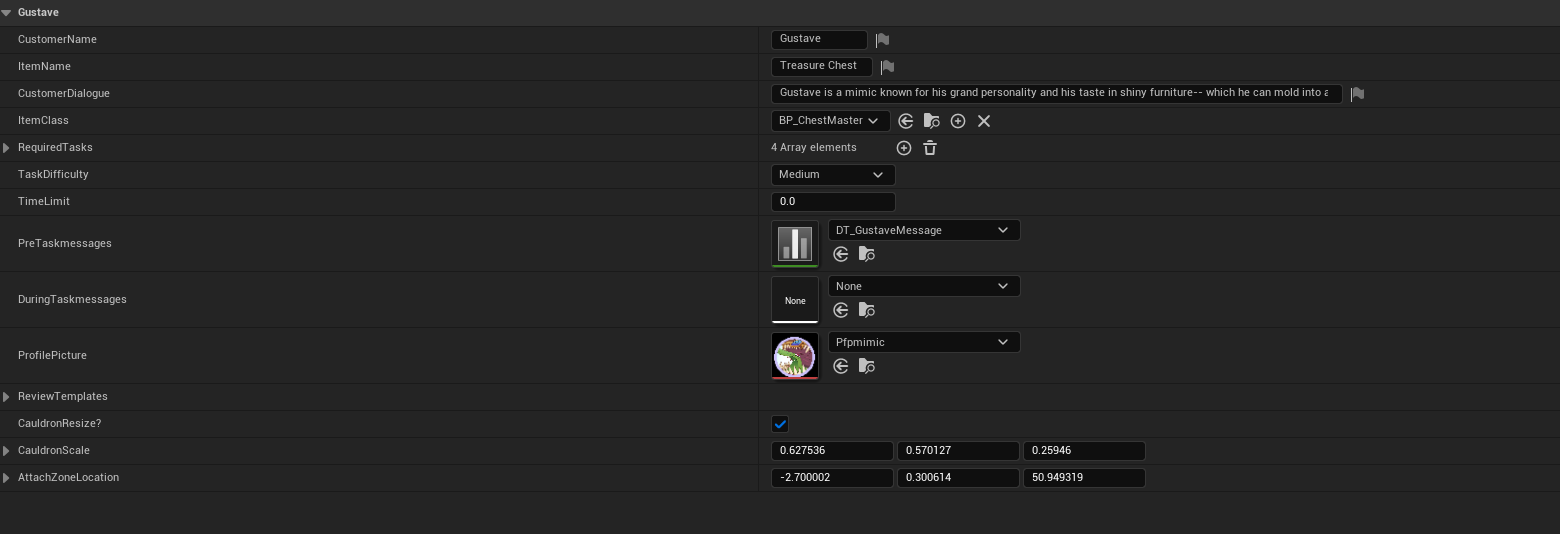
Data tables were once again used for designer ease when editing inside the game. All information needed from each customer is packed into these data table entries, ensuring that customers can be easily added into the system in the future.
Environment
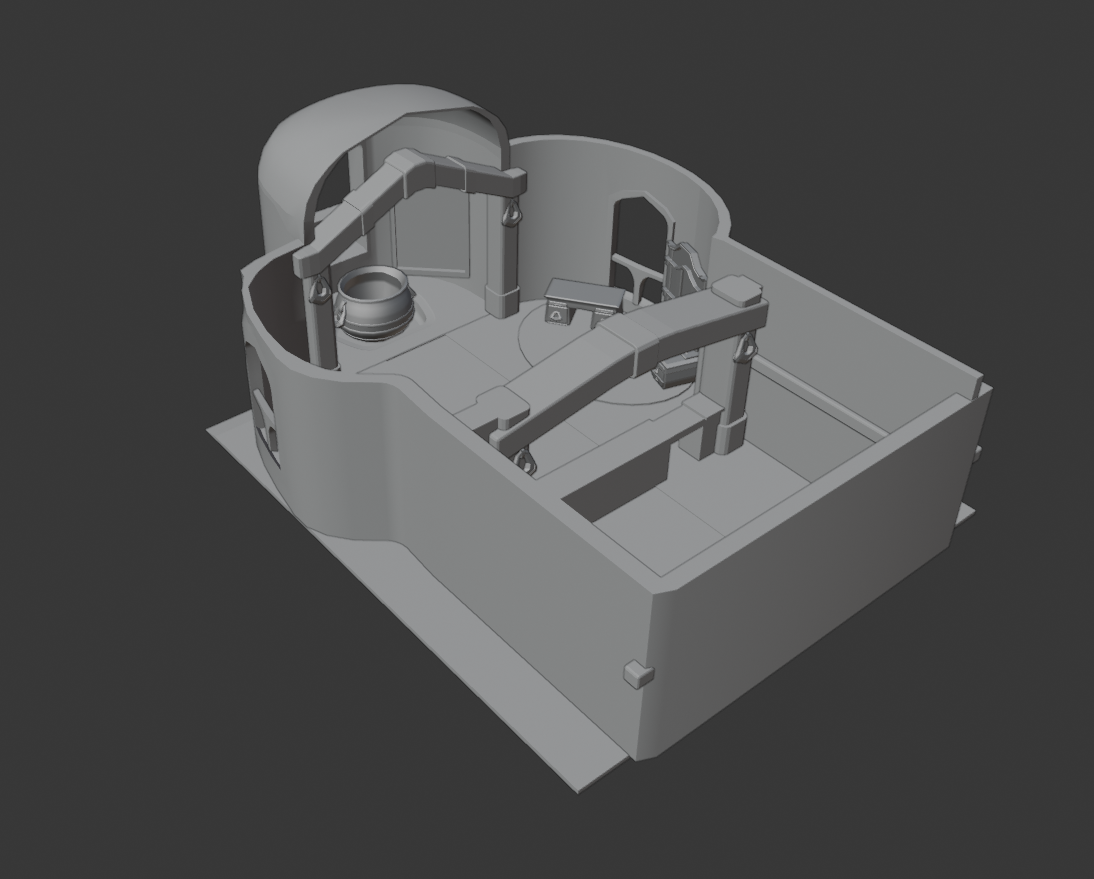
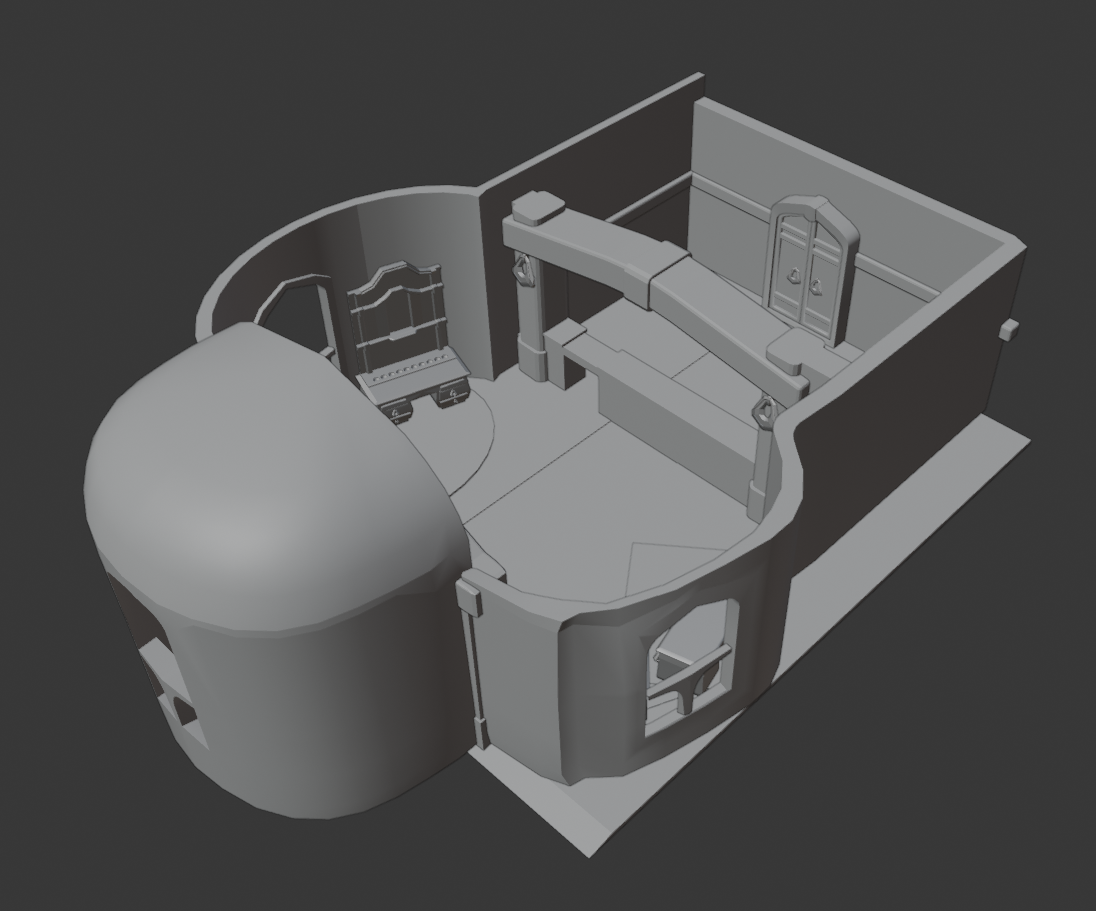
Midway through development, members of the art team responsible for the environment weren't sure how they wanted to the space to look. They asked me, and I had a vision for it. Since I worked on all the prototypes up to that point, I knew how best to design a digital environment for proper player interaction. The most important aspect of the environment was its size- we wanted it to be big enough to feel grand but not so big as to feel empty and alien.
What I Did
Using blender, I created a 3D concept of what the environment could look like to help inform the art team on proper scale, style, and spacing. The final Broomsmith environment uses this exact layout! Just filled with beautiful 3D models instead of gray boxes.
Designer Guides
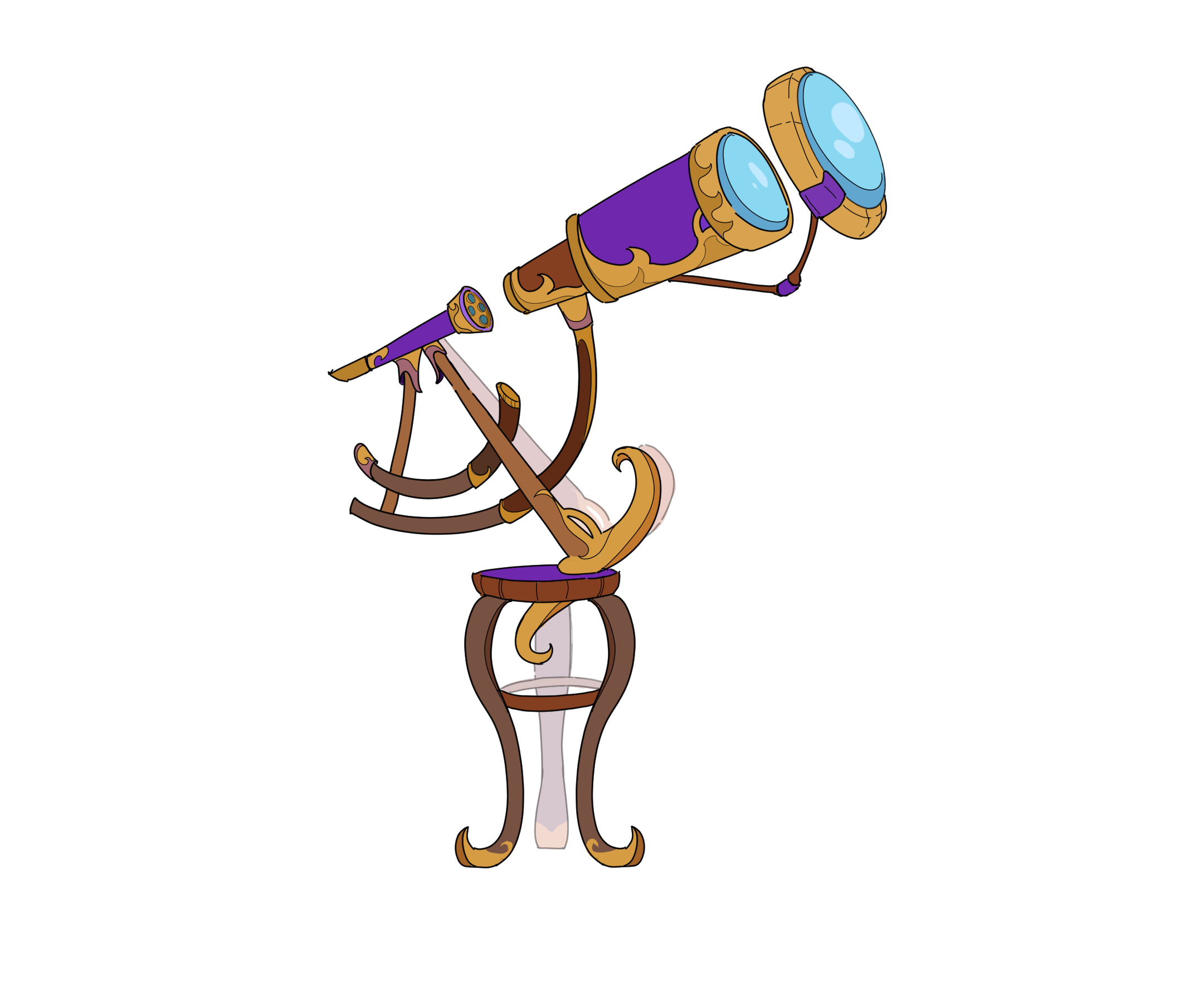
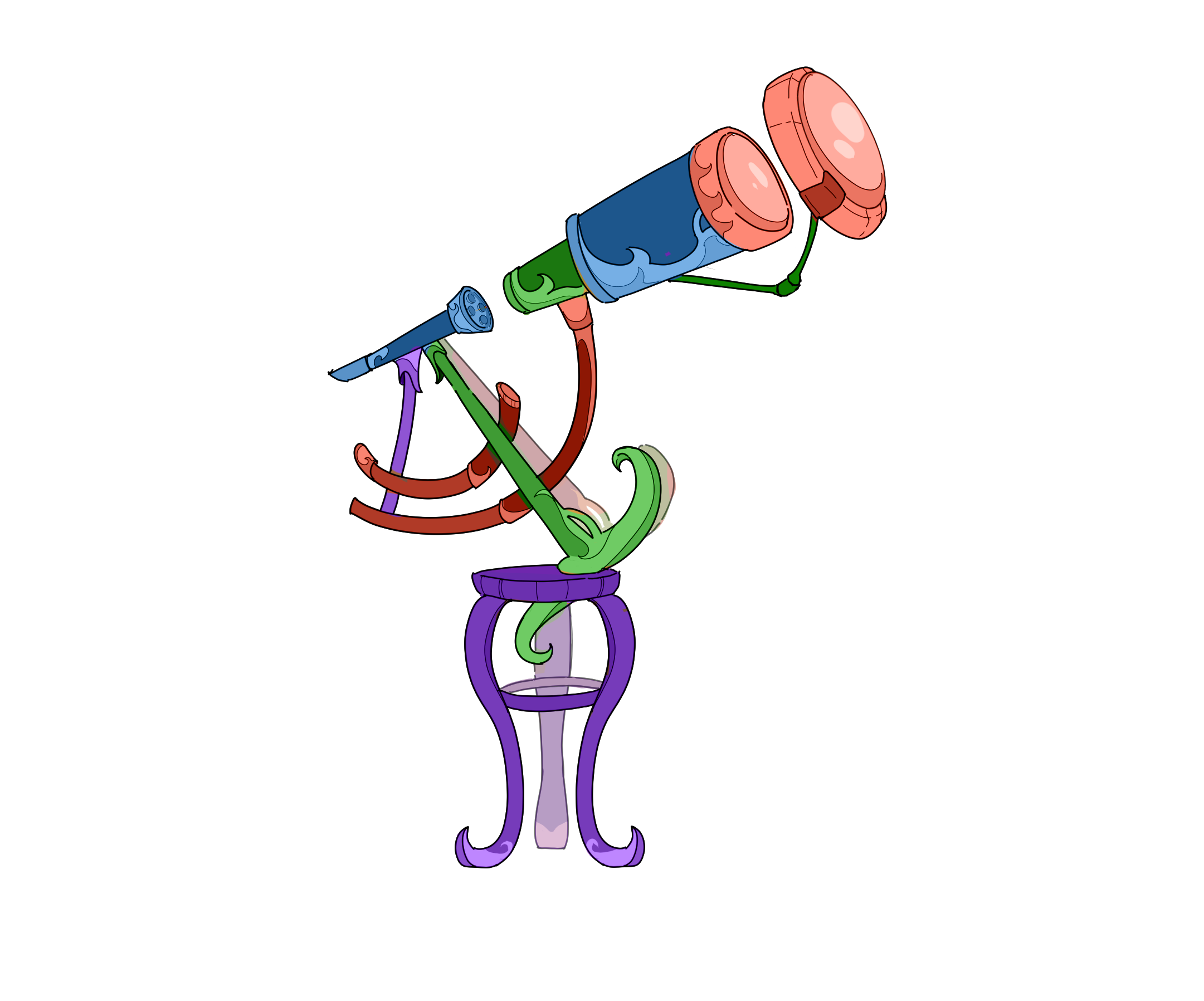
Some Repairable Items come in pieces that will connect together later. To ensure that 3D modelers were creating items that aligned with my ideas and existing systems, I drew out items in two separate formats: one in default material colors and one in colors that indicated separate pieces.
Profile Photos
2D images for character profile photos.


Process
During this project I managed and onboarded two full-time members and six outsourced, part-time members. This included five designers spread across 2D illustration, 3D modeling, and Graphic Design, two sound designers and one assistant systems designer. The team worked within the Plastic SCM/Gluon version control system and reported task progress through google sheets in accordance Agile!
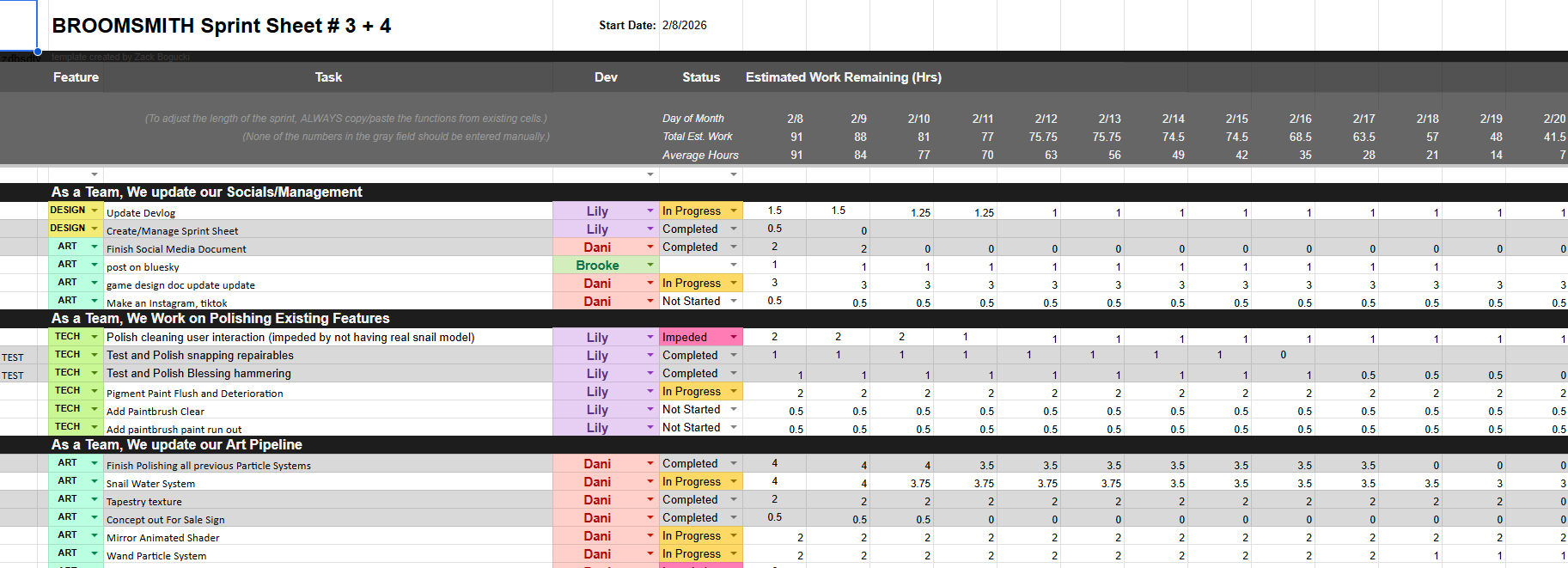
I organized weekly meetings and during critical work days/periods the team would report their progress during nightly standups. On multiple occasions I solved technical and teammate conflicts to ensure a respectful and productive student environment!
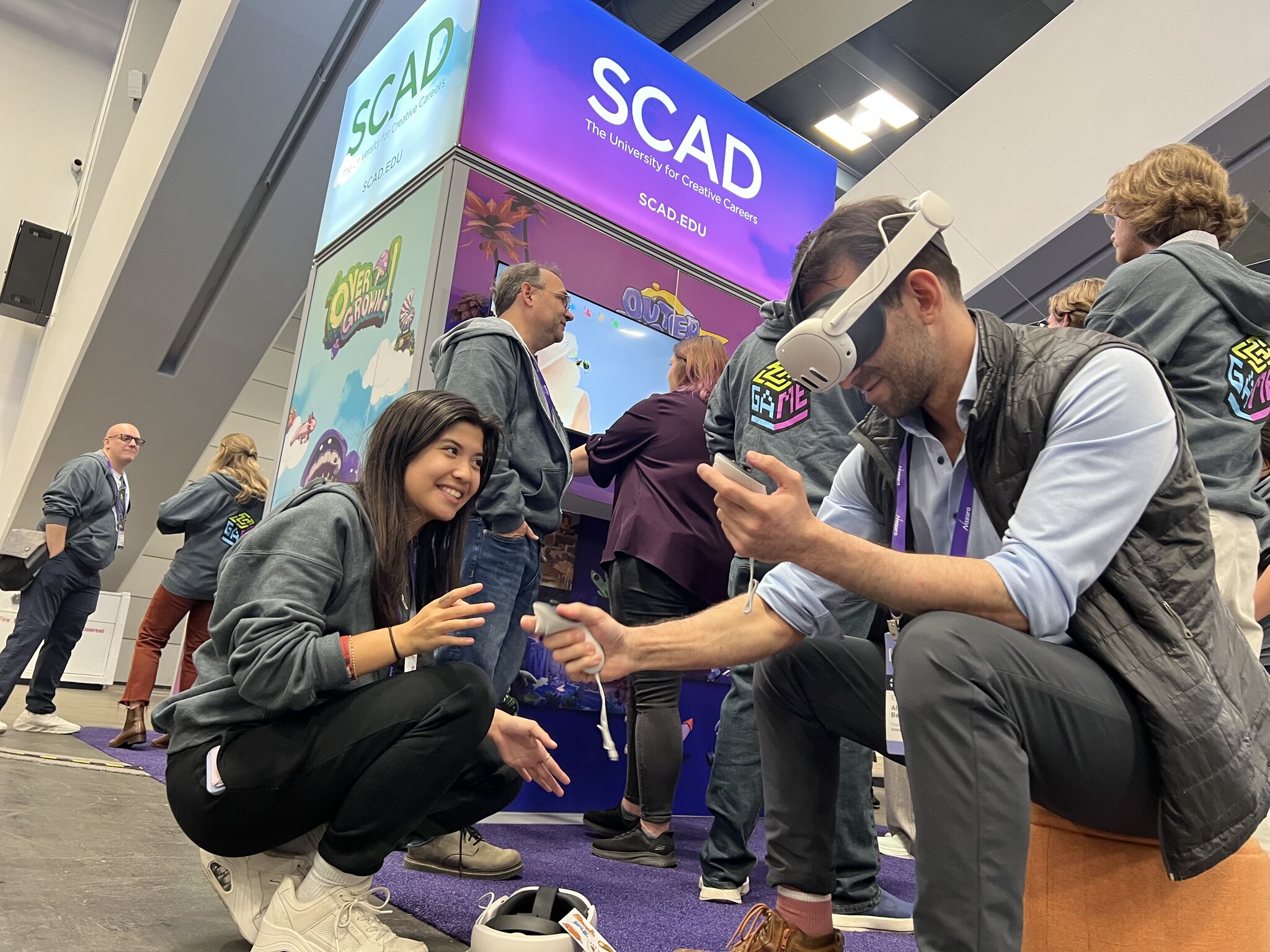
Thanks to SCAD, I had the opportunity to attend the 2026 Game Developers conference (GDC) in San Francisco and show off Broomsmith! Testers had great feedback and loved our beta.